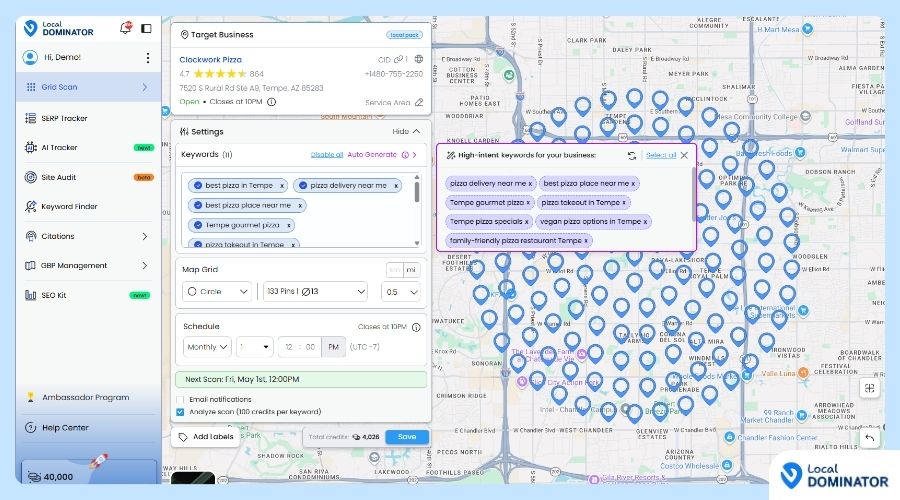
You can pause keywords from running in your scans—without deleting them or losing any historical data. Just follow these simple steps:
Step-by-Step Instructions
Open the Scan Settings
Click the three dots next to the scan you want to update, then click “Edit Scan.”
View All Keywords
Once the edit screen loads, your keywords will appear.
Choose How to Pause:
Pause Individual Keywords:
Toggle off (disable) the keywords you don’t want to run.
Pause All Keywords at Once:
Click “Disable All” to turn off all keywords for that scan.
Save Changes
Click the “Save” button to apply the update.
Confirm the Pause
Go back to the Scans page. You’ll see the scan is now paused (it has no active keywords).